Understanding Roamic App Android Costs and Hidden Fees in 2026
9/21/2026
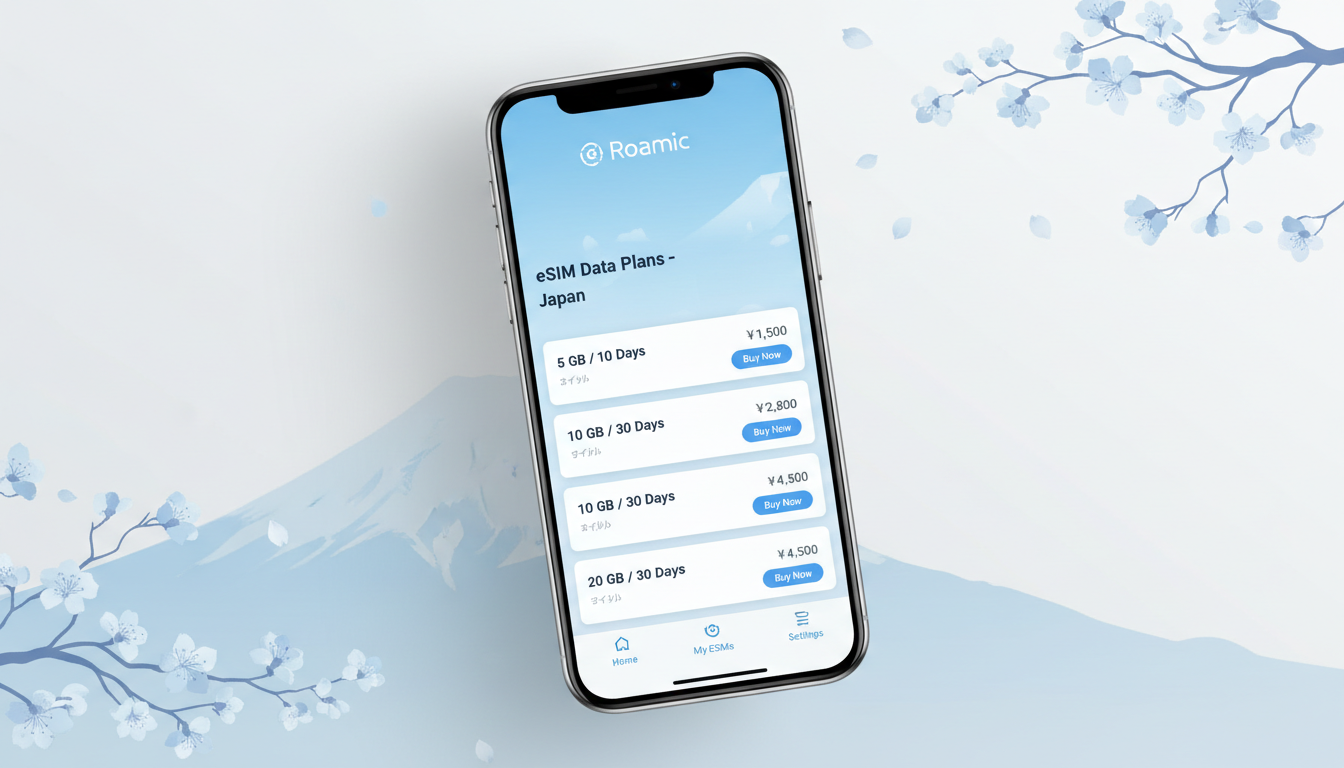
Understanding the Costs and Billing Structure of the Roamic App on Android
If you’re planning a group trip to Japan and want to manage shared expenses efficiently, the Roamic app for Android promises to simplify how you split bills and track who owes what. But before you download it, understanding exactly what you pay for—and what might come as hidden fees—is crucial for budgeting your trip without surprises.
Roamic is primarily known as an eSIM provider with a companion app that also offers expense-sharing features. The cost structure involves charges for eSIM data plans, while the app’s billing for expense management is generally free or minimal.
Here’s a breakdown of what you need to know about using the Roamic app on Android, focusing on costs, billing mechanisms, and potential extra fees.
What You Pay For When Using the Roamic App on Android
eSIM Data Plans: The Core Expense
Roamic’s main service revolves around providing eSIM data plans that cover over 150 countries, including Japan. These plans are prepaid and vary by data volume and duration.
For example, a typical offer might be:
| Data Volume | Validity Period | Price (USD) | Provider |
|---|---|---|---|
| 1 GB | 7 days | $0.99 | Roamic |
This pricing is consistent across several countries like Poland, Romania, and the UK, as reported by MyBestSim’s latest data. The app itself does not charge extra for managing these plans once purchased.
Expense Sharing Features: Mostly Free with Optional Premiums
The Roamic app includes tools to split bills among group members easily. From my knowledge of similar apps and the way Roamic markets itself, basic expense tracking and sharing within the app are free.
However, some advanced features—such as detailed analytics or multi-currency support—may require in-app purchases or subscription upgrades.
No Physical SIM Card Fees
Since Roamic uses eSIM technology compliant with GSMA specification SGP.22 for remote provisioning, there are no physical SIM card costs or shipping fees. This eliminates common hidden charges associated with traditional SIM cards.
Billing Structure and Potential Hidden Fees to Watch For
Prepaid Model Avoids Surprises but Requires Upfront Payment
Roamic operates on a prepaid model for its eSIM data plans. This means you pay upfront for your chosen plan duration and data volume—there are no post-use bills or unexpected roaming charges later.
However, this also means if you underestimate your data needs, you’ll have to purchase additional plans separately.
Activation Process May Require a Second Device
Activating an eSIM via Roamic involves scanning a QR code displayed on your Android device or another phone. If you only have one device without dual SIM capability or cannot scan QR codes internally, this can complicate activation.
While not a direct fee, this technical requirement can lead to indirect costs if you need to borrow or buy another device temporarily.
Data Overuse Charges Are Not Automatic but Require New Purchases
Unlike some carriers that charge overage fees automatically when you exceed your data cap, Roamic requires buying additional data plans explicitly. This mechanism prevents surprise overage bills but requires monitoring your usage carefully.
Currency Conversion Fees May Apply When Paying
Payments through the Google Play Store or credit cards may incur currency conversion fees depending on your bank or payment method. These fees are external to Roamic but affect your total cost when purchasing plans via the app.
How to Use the Roamic App on Android Without Unexpected Costs
Installing and Setting Up the App
- Download: The Roamic app is available on the Google Play Store under developer Roamingo Inc., compatible with most modern Android devices supporting eSIM.
- Account Creation: Sign up using your email; no charge applies here.
- Purchase Data Plan: Choose from available regional or global plans tailored for Japan.
- Activate eSIM: Scan the QR code within the app or from another device.
- Manage Expenses: Use built-in tools to split costs among group members.
Field Observation: Activation Requires Stable Internet Connection
If your Android device lacks cellular connectivity during activation (for example, if it’s offline), scanning and activating the eSIM QR code can fail. This condition means you must have Wi-Fi access at activation time; otherwise, activation stalls and delays your connectivity.
Field Observation: Group Expense Tracking Depends on User Discipline
The expense-sharing feature relies heavily on all group members entering their expenses promptly and accurately. Without consistent input from everyone, balances can become inaccurate quickly, leading to confusion rather than clarity.
Compatibility and Updates: What You Should Know Before Installing
Device Compatibility Limits Cost Efficiency
Not all Android devices support eSIM technology yet; compatibility depends on hardware and Android version (usually Android 10+). Using an incompatible device means you cannot activate Roamic’s eSIM plans at all—leading to wasted time or forced alternative solutions.
Updates Can Affect Features and Costs
Roamic regularly updates its app to improve user experience and add features like multi-currency support or enhanced bill splitting. While updates are free, they may introduce premium features behind paywalls that could increase your overall cost if you opt in.
Reviews and User Feedback on Roamic App Android Features
User reviews highlight that purchasing an eSIM through Roamic is straightforward via QR code activation but sometimes requires a second phone for scanning—a practical limitation I always warn travelers about when they rely solely on one device.
The expense-sharing feature is praised for its simplicity but criticized occasionally for lacking advanced automation like automatic payment reminders or integration with payment platforms—features that could reduce manual tracking errors but might come at an extra cost in future versions.
Managing Your Budget With Roamic: Tips From a Practitioner
- Plan Your Data Needs Carefully: Since each plan has a fixed price per GB per duration (e.g., $0.99 for 1 GB/7 days), estimate usage conservatively to avoid multiple purchases.
- Use Wi-Fi When Possible: To save data costs, connect to Wi-Fi networks frequently during your trip.
- Keep Track of Shared Expenses Outside the App Too: I always start by confirming shared expenses in writing among group members before entering them into any app; this reduces disputes caused by input errors.
- Check Your Device Compatibility Before Purchase: Confirm that your Android phone supports GSMA SGP.22-compliant eSIM provisioning; otherwise, you won’t benefit from Roamic’s service at all.
For more detailed guidance on getting an eSIM in Japan and comparing providers like NTT Docomo or SoftBank alongside Roamic’s offerings, see my article on how to get an eSIM for Japan.
Benefits of Using the Roamic App on Android for Group Trips in Japan
- No Physical SIM Hassle: Instant activation without waiting for delivery.
- Prepaid Plans Prevent Unexpected Bills: You pay upfront based on your chosen plan.
- Expense Sharing Simplifies Group Budgeting: Avoids manual calculations.
- Wide Coverage Across 150+ Countries: Useful if your trip extends beyond Japan.
- Regular Updates Improve Usability: New features keep improving user experience.
If managing shared travel expenses manually feels overwhelming, Roamic offers a streamlined alternative—but be mindful of device compatibility and upfront plan costs to keep your budget under control.
For travelers focused exclusively on budget-friendly connectivity options in Japan, I recommend consulting MyBestSim’s comprehensive comparison of providers including Roamic’s current offers and promo codes like “MYBESTSIM” which can save up to 10% on unlimited data packages.
Meta Description: Discover how much it costs to use the Roamic app on Android for managing eSIM data plans and shared travel expenses in Japan. Learn about billing structures, hidden fees, compatibility, and tips to avoid surprises while budgeting your trip efficiently with Roamic’s prepaid plans and expense-sharing features.
FAQ
What costs are involved with Roamic app on Android?
The main cost is purchasing prepaid eSIM data plans, which vary by data volume and duration. The app’s expense-sharing features are mostly free, with optional premium upgrades for advanced tools. There are no physical SIM card fees since it uses eSIM technology.
How does Roamic’s billing structure prevent unexpected charges?
Roamic uses a prepaid model requiring upfront payment for data plans, avoiding surprise bills or roaming fees. If you exceed your data limit, you must buy additional plans manually, so monitoring usage is essential to avoid extra purchases.
Are there any hidden fees when using Roamic on Android?
While Roamic itself has no hidden fees, currency conversion charges may apply depending on your payment method. Also, activation might require a second device to scan QR codes, which can cause indirect costs if you need to borrow or buy another phone.
What device compatibility issues affect Roamic app usage?
Roamic requires Android devices that support GSMA SGP.22-compliant eSIM provisioning, typically Android 10 or higher. Using an incompatible device means you cannot activate eSIM plans, limiting the app’s usefulness and potentially wasting your time or money.
How reliable is Roamic’s expense-sharing feature for group trips?
The expense-sharing tool is simple and free for basic use but depends on all group members entering expenses promptly. It lacks advanced automation like automatic reminders, so manual tracking discipline is necessary to keep balances accurate and avoid confusion.

Sakura Tanaka
Sakura is a Japan travel writer. At Japan eSIM she compares NTT Docomo, SoftBank and au plans for visitors exploring Tokyo, Kyoto and beyond.